Upgrading to a smart lighting system is one of the most effective ways to enhance comfort, convenience, and energy efficiency in your home. Whether you’re looking to automate your daily routines, save on electricity bills, or simply enjoy the flexibility of controlling lights from your phone or voice assistant, this comprehensive guide covers all the essentials. We’ll break down how these systems work, the main types available, and what to consider before making the switch.
For those interested in integrating lighting with broader home automation, you may also want to explore ai home automation programming basics for a deeper dive into smart home technology.
What Is a Smart Lighting System?
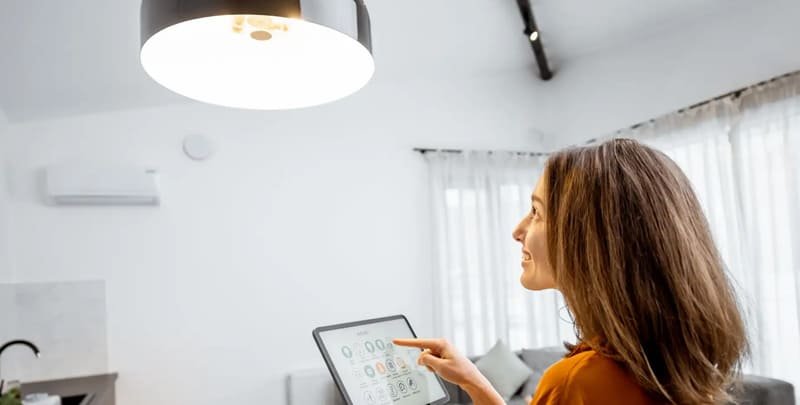
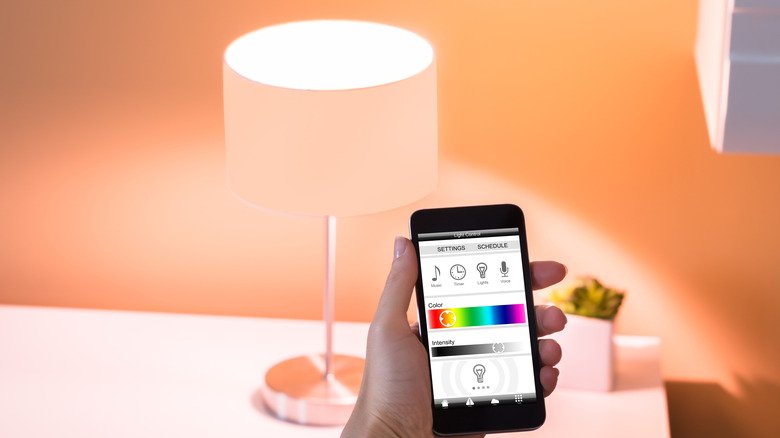
A smart lighting system refers to a network of lighting devices—such as bulbs, switches, and controls—that can be managed remotely or automatically. Unlike traditional lighting, these systems connect to your home Wi-Fi or a dedicated hub, allowing you to control brightness, color, and scheduling via smartphone apps, voice commands, or automation routines.
Key features often include:
- Remote control from anywhere using a mobile app
- Integration with voice assistants like Alexa, Google Assistant, or Siri
- Customizable schedules and automation based on time, occupancy, or sensors
- Energy monitoring and efficiency tools
- Scene setting for different moods or activities
Types of Smart Lighting Solutions
There are several categories of intelligent lighting products available, each with its own advantages. Understanding the main types helps you choose the best fit for your needs.
Smart Bulbs
These are LED bulbs with built-in wireless connectivity. They’re easy to install—just screw them into your existing fixtures and pair them with an app or hub. Many models offer adjustable brightness and color, making them ideal for mood lighting or accent areas.
Smart Switches and Dimmers
Smart switches replace your standard wall switches and allow you to control regular bulbs or fixtures. They’re a great option if you want to automate ceiling lights or fixtures that use non-smart bulbs. Some models also offer dimming capabilities and can be controlled by app or voice.
Smart Plugs
Smart plugs let you control lamps or other plug-in lights. Simply plug your lamp into the smart plug, then manage it remotely or set schedules. This is a cost-effective way to add automation to existing lamps without replacing bulbs or switches.
Benefits of Smart Lighting for Modern Homes
Switching to automated lighting offers a range of advantages that go beyond simple convenience. Here are some of the most significant benefits:
- Energy Efficiency: Automated schedules and occupancy sensors help reduce wasted electricity, lowering your energy bills.
- Convenience: Control lights from your phone or with your voice, whether you’re at home or away.
- Customization: Adjust color temperature and brightness to suit your mood or activity, from reading to entertaining guests.
- Security: Set lights to turn on and off automatically to simulate occupancy when you’re not home.
- Integration: Seamlessly connect with other smart home devices for routines like “Goodnight” or “Movie Time.”
For a more detailed look at the advantages, see this in-depth overview of smart lighting benefits.
How to Choose the Right Smart Lighting Setup
With so many options available, selecting the right system can feel overwhelming. Here are some factors to consider when evaluating your choices:
- Compatibility: Ensure the products you select work with your preferred voice assistant or smart home platform.
- Connectivity: Some devices connect directly to Wi-Fi, while others require a hub (like Philips Hue or Zigbee systems). Consider your home’s network strength and coverage.
- Features: Decide which features matter most—such as color changing, dimming, scheduling, or energy monitoring.
- Installation: Smart bulbs are simple to install, while switches may require basic wiring skills.
- Budget: Prices vary widely. Starter kits offer good value, while individual bulbs and accessories can add up.
It’s also worth considering future expansion—choose a system that can grow with your needs, whether you want to add more rooms or integrate with other smart devices.
Integrating Smart Lighting with Other Home Automation
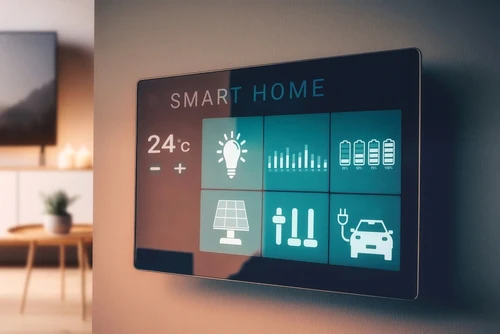
One of the greatest strengths of connected lighting is its ability to work alongside other smart home technologies. For example, you can create routines that adjust lighting based on occupancy detected by motion sensors, or sync lights with smart thermostats and security systems. If you’re interested in advanced integrations, check out the ai mesh networks for homes resource for insights on robust home connectivity.
Many platforms allow you to set up custom scenes, such as dimming lights for movie nights or gradually brightening them in the morning as part of a wake-up routine. The possibilities expand as you add more devices and explore automation rules.
Installation Tips and Best Practices
Getting started with smart lighting is usually straightforward, but a few tips can help ensure a smooth setup:
- Read the manufacturer’s instructions carefully, especially for smart switches that require wiring.
- Start with a small area (like a living room or bedroom) before expanding to the whole house.
- Test connectivity in each room to avoid dead spots—mesh Wi-Fi or dedicated hubs can help.
- Label devices clearly in your app for easy management.
- Regularly update firmware for security and new features.
For those looking to optimize energy use, pairing lighting with ai home automation for energy storage can further boost efficiency and savings.
Common Challenges and How to Overcome Them
While most users find smart lighting reliable, a few common issues can arise:
- Connectivity problems: Ensure your Wi-Fi signal is strong, or consider a hub-based system for better reliability.
- Compatibility issues: Double-check that bulbs, switches, and apps are compatible with your smart home ecosystem.
- Power outages: Some smart bulbs may revert to default settings after a power cut. Look for models with memory features.
- App overload: Using too many different brands can lead to multiple apps. Consider sticking to one ecosystem for simplicity.
FAQ
Can I Install Smart Lighting in an Older Home?
Yes, most smart bulbs and plugs work in standard fixtures and outlets, making them suitable for older homes. Smart switches may require a neutral wire, so check your wiring before purchasing.
Do Smart Lights Use More Electricity Than Regular Bulbs?
Most smart bulbs are energy-efficient LEDs and use very little extra power for connectivity. In fact, their automation features often help reduce overall electricity consumption.
Is It Safe to Use Smart Lighting with Other Smart Devices?
Absolutely. Modern smart home platforms are designed for interoperability. Just ensure all devices are updated regularly for the latest security patches and features.
Can I Control My Lights When I’m Not at Home?
Yes, as long as your system is connected to the internet, you can manage your lighting remotely via the app or through voice assistants.
What Happens If My Wi-Fi Goes Down?
Some smart lighting products will still work with manual switches, but remote control and automation features may be unavailable until connectivity is restored. Hub-based systems can sometimes maintain limited functionality during outages.