Smart lighting has changed the way we interact with our homes and workspaces. Among the many wireless technologies available, Bluetooth stands out for its simplicity and direct device-to-device communication. If you’re curious about how Bluetooth-based smart lights work, what makes them unique, and whether they’re the right fit for your needs, this guide will break down the essentials. We’ll cover the basics, practical benefits, setup process, and important considerations for anyone exploring this technology.
Before diving into the details, it’s helpful to understand how Bluetooth compares to other wireless protocols. For a deeper look at alternatives, such as Zigbee and WiFi, check out our article on wifi vs zigbee smart lighting explained.
How Bluetooth-Enabled Smart Lighting Works
Bluetooth smart lighting explained simply: these systems use Bluetooth Low Energy (BLE) to allow direct communication between your smartphone, tablet, or dedicated remote and the light fixtures themselves. Unlike WiFi or Zigbee systems, Bluetooth lights do not require a central hub or bridge. Each light contains a Bluetooth chip, enabling it to pair directly with your device for control.
This direct approach means you can turn lights on or off, adjust brightness, or change colors using a mobile app or compatible remote, all without relying on your home’s internet connection. The setup is generally straightforward, making Bluetooth a popular choice for those seeking easy installation and immediate control.
Key Advantages of Bluetooth Lighting Systems
Choosing Bluetooth for your smart lighting offers several practical benefits:
- Simple Setup: No need for extra hubs or bridges. Most Bluetooth bulbs and fixtures can be installed like traditional lights and paired via an app in minutes.
- Direct Control: Control your lights even if the internet is down, as commands are sent directly from your device to the bulb.
- Energy Efficiency: Bluetooth Low Energy is designed to minimize power consumption, which is ideal for smart bulbs and battery-powered devices.
- Privacy: Since Bluetooth operates locally, your lighting data doesn’t travel through the cloud, offering an added layer of privacy.
For more on the benefits of smart lighting in general, including energy savings and automation, see this comprehensive guide to smart lights for homes.
Common Features and Functions
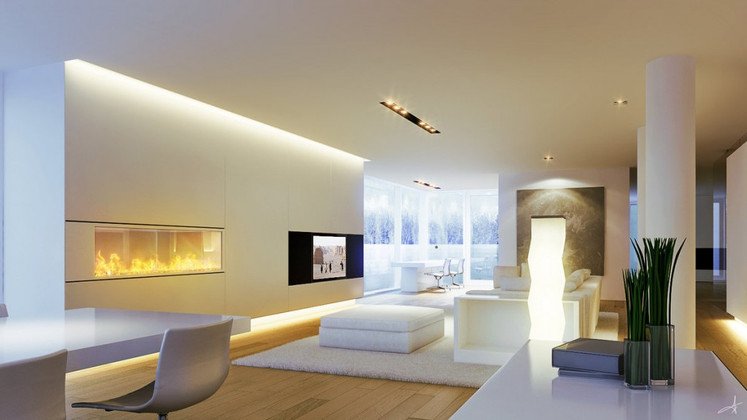
Modern Bluetooth lighting products offer a range of features that go beyond simple on/off control. Here are some of the most common capabilities:
- Dimming: Adjust brightness levels to suit different moods or activities.
- Color Changing: Many bulbs support millions of colors, allowing you to set the perfect ambiance.
- Scheduling: Set timers or routines so lights turn on or off automatically at specific times.
- Grouping: Control multiple lights together as a group for synchronized effects.
- Scene Setting: Save favorite lighting configurations and activate them with a tap.
These features are typically managed through a free app provided by the manufacturer. Some systems also support voice control through integration with assistants like Alexa or Google Assistant, though this often requires a bridge or additional hardware.
Limitations to Consider
While Bluetooth smart lighting explained in this guide offers many advantages, it’s important to be aware of its limitations:
- Range: Bluetooth’s effective range is usually around 10 meters (30 feet). Thick walls or large homes may require you to be physically closer to the lights for control.
- No Remote Access: Without a bridge or gateway, you can’t control your lights when you’re away from home.
- Limited Integration: Bluetooth-only systems may not integrate as seamlessly with other smart home devices compared to WiFi or Zigbee setups.
- Device Limits: Some Bluetooth systems have a cap on the number of devices you can control simultaneously.
If you’re looking for more advanced automation or remote access, you might want to compare Bluetooth with other protocols. Our article on smart lighting wireless protocols explained provides a detailed comparison.

Setting Up Bluetooth Lighting in Your Space
Getting started with Bluetooth lighting is typically a quick process:
- Install the smart bulbs or fixtures in your desired locations.
- Download the manufacturer’s app on your smartphone or tablet.
- Enable Bluetooth on your device and follow the app’s instructions to pair each light.
- Organize lights into groups or rooms within the app for easier management.
- Customize settings, schedules, and scenes as needed.
Most users find the process intuitive, with step-by-step guidance provided in the app. If you encounter issues, troubleshooting usually involves ensuring Bluetooth is enabled and devices are within range.
Where Bluetooth Lighting Makes the Most Sense
Bluetooth-based smart lighting is especially well-suited for:
- Apartments and Small Homes: The limited range is less of an issue in compact spaces.
- Single Rooms or Offices: Ideal for controlling lights in a bedroom, study, or workspace.
- Renters: No need for permanent installations or changes to existing wiring.
- Users Seeking Simplicity: Those who want direct, reliable control without extra hardware.
For those interested in using lighting for safety or emergency preparedness, you may also want to explore our guide on smart lighting for emergency situations.
Integrating Bluetooth Lighting With Other Smart Home Systems
While Bluetooth lighting is often used as a standalone solution, some brands offer hybrid systems that combine Bluetooth with WiFi or Zigbee. This allows for both local direct control and remote access or automation. If you plan to expand your smart home in the future, consider products that support multiple wireless protocols for greater flexibility.
For advanced automation, such as linking lights to motion sensors or security systems, you may need to look into products that offer broader compatibility. Our article on smart lighting automation for safety covers how to set up these integrations for added peace of mind.
FAQ
Can Bluetooth smart lighting be controlled from outside the home?
Typically, Bluetooth lighting can only be controlled when your smartphone or remote is within Bluetooth range of the lights. Some systems offer optional hubs or bridges to enable remote access, but this adds complexity and cost.
How many Bluetooth smart bulbs can I control at once?
The number varies by brand and app, but most systems allow you to control multiple bulbs, often up to 20 or more. Check the manufacturer’s specifications for exact limits.
Is Bluetooth lighting secure?
Bluetooth Low Energy uses encryption and pairing to help protect your devices. Since communication is local and not cloud-based, there’s less risk of remote hacking. Always use official apps and keep your devices updated for best security.
Conclusion
Bluetooth smart lighting offers a straightforward, hub-free way to bring intelligent lighting control into your home or office. Its direct communication, easy installation, and privacy benefits make it an appealing choice for many users, especially in smaller spaces or for those new to smart home technology. By understanding the strengths and limitations of Bluetooth lighting, you can make an informed decision and create a lighting setup that fits your lifestyle.