Choosing the right smart lighting system for your home can be confusing, especially with so many options available. One of the most important decisions is whether to use a dedicated hub or go hubless. Understanding the differences between these two approaches is key to building a reliable, flexible, and future-proof smart lighting setup.
This guide provides a clear comparison of smart lighting hub vs hubless explained—covering how each works, their pros and cons, compatibility considerations, and which setup best fits different needs. Whether you’re new to home automation or looking to upgrade your current system, you’ll find practical advice for making an informed choice.
For those just starting out, our smart lighting basics for homeowners article covers foundational concepts and key terms to help you get oriented before diving deeper into the details of hubs and hubless solutions.
Understanding Hub-Based Smart Lighting Systems
Hub-based smart lighting systems rely on a central device—often called a bridge or gateway—that connects all your smart bulbs, switches, and accessories. This hub communicates with your devices using protocols like Zigbee, Z-Wave, or proprietary wireless standards, and then links to your home Wi-Fi or Ethernet network to enable app and voice control.
Popular examples of hub-based setups include Philips Hue, Lutron Caséta, and some Sengled and IKEA Tradfri systems. The hub acts as a translator and traffic controller, ensuring reliable communication between your lights and your phone, smart speakers, or automation routines.
Key Advantages of Hub-Based Setups
- Reliability: Hubs use dedicated wireless protocols that are less prone to Wi-Fi congestion, resulting in faster response times and fewer dropped connections.
- Scalability: You can add dozens or even hundreds of devices without overloading your Wi-Fi network.
- Advanced Features: Many hubs support complex automations, dynamic scenes, and integration with other smart home devices.
- Local Control: Some hubs allow your lights to work even if your internet goes down, since commands are processed locally.
Potential Drawbacks
- Extra Hardware: You’ll need to purchase and set up a hub, which adds to the initial cost and setup complexity.
- Compatibility Limits: Not all smart bulbs and switches work with every hub, so you’ll need to check device compatibility before buying.
- Learning Curve: Configuring a hub and connecting devices can be more involved than simply screwing in a Wi-Fi bulb.
Hubless Smart Lighting: How It Works
Hubless smart lighting systems connect directly to your home Wi-Fi or Bluetooth network, eliminating the need for a central hub. Each bulb or switch communicates independently with your router and is controlled via a mobile app or voice assistant.
Brands like TP-Link Kasa, LIFX, and many budget-friendly smart bulbs are designed for hubless operation. These products are especially appealing for renters, small homes, or those who want a quick, low-cost way to add smart lighting to just a few rooms.

Benefits of Hubless Lighting
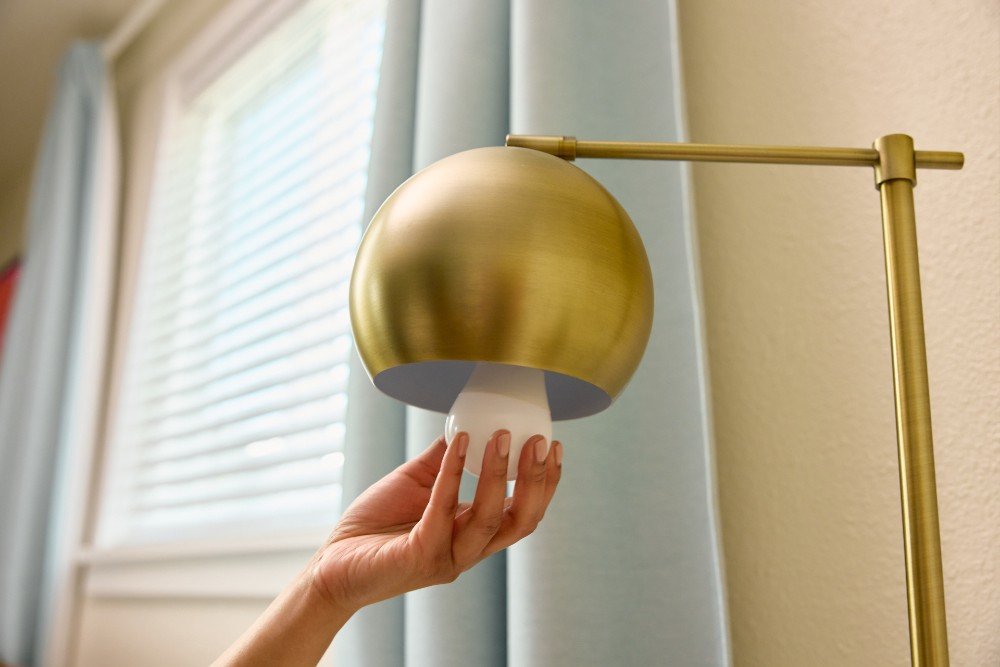
- Simplicity: No extra hardware is required—just install the bulb, connect to Wi-Fi, and control from your phone.
- Lower Upfront Cost: You only pay for the bulbs or switches you need, with no hub to buy.
- Easy Setup: Most hubless products are designed for plug-and-play installation, making them ideal for beginners.
- Portability: Hubless bulbs are easy to move or take with you if you relocate.
Limitations to Consider
- Wi-Fi Dependence: Each device connects to your router, which can slow down your network if you add many bulbs.
- Potential Reliability Issues: Wi-Fi-based bulbs may experience delays or disconnects, especially in large homes or with spotty Wi-Fi coverage.
- Limited Advanced Features: Some hubless systems offer fewer automation options or integrations compared to hub-based platforms.
Smart Lighting Hub vs Hubless Explained: Key Differences
When comparing these two approaches, it’s important to consider how they fit your home’s needs, your technical comfort level, and your future plans for home automation. Here’s a summary table to highlight the main differences:
| Feature | Hub-Based | Hubless |
|---|---|---|
| Setup Complexity | Moderate to High | Low |
| Initial Cost | Higher (hub + bulbs) | Lower (bulbs only) |
| Reliability | Very High | Varies (depends on Wi-Fi) |
| Scalability | Excellent | Limited by Wi-Fi capacity |
| Advanced Automations | Robust | Basic to Moderate |
| Offline Functionality | Often Supported | Rarely Supported |
| Device Compatibility | Check for hub support | Check for app/voice support |
For a hands-on walkthrough of installing either type, see our smart lighting installation guide for step-by-step instructions and tips.
Which Smart Lighting Setup Is Best for You?
The right choice depends on your priorities, home size, and future plans. Here are some scenarios to help you decide:
- Small Apartments or Renters: Hubless bulbs are easy to install and move, making them ideal for temporary setups or smaller spaces.
- Large Homes or Power Users: A hub-based system offers superior reliability, supports more devices, and enables advanced automations for whole-home control.
- Mixed Environments: Some users combine both approaches—using hubless bulbs in less critical areas and a hub-based system for main living spaces.
If you’re interested in the latest features, our smart lighting features explained article breaks down must-have capabilities to look for in any system.
Compatibility and Ecosystem Considerations
Before making a purchase, check whether your chosen bulbs, switches, and accessories are compatible with your preferred voice assistants (like Alexa, Google Assistant, or Siri) and other smart home devices. Some hub-based systems integrate with broader ecosystems, while hubless options may be limited to app or voice control only.
For those planning to expand their smart home in the future, investing in a hub-based platform can provide more flexibility and integration options. However, if you’re looking for a quick, affordable upgrade, hubless bulbs offer a straightforward path to smart lighting.

Smart Lighting Hub vs Hubless Explained: Frequently Asked Questions
Do I Need a Hub for Smart Lighting to Work?
No, you don’t always need a hub. Many Wi-Fi and Bluetooth smart bulbs work without a central hub, connecting directly to your router or phone. However, using a hub can improve reliability, support more devices, and enable advanced features, especially in larger homes.
Can I Mix Hub-Based and Hubless Smart Lights?
Yes, it’s possible to use both types in the same home. For example, you might use hubless bulbs in bedrooms and a hub-based system in shared spaces. Just keep in mind that you’ll likely need to use multiple apps or platforms to control all your lights.
Which Is More Secure: Hub-Based or Hubless?
Hub-based systems often provide an extra layer of security because they use dedicated wireless protocols and may process commands locally. Hubless bulbs rely on your Wi-Fi network, so it’s important to secure your router and use strong passwords. Always keep your devices’ firmware up to date for the best protection.
Where Can I Learn More About Upgrading to Smart Lighting?
For additional tips and trends, check out this comprehensive guide to upgrading to smart lighting for insights on the latest products and best practices.
Conclusion
Both hub-based and hubless smart lighting systems offer unique advantages. Hub-based setups excel in reliability and scalability, making them ideal for larger homes and advanced automations. Hubless options are perfect for smaller spaces or those seeking a simple, budget-friendly entry into smart lighting. Consider your current needs and future plans to choose the best solution for your home.
If you’re ready to get started, our step-by-step tutorial on setting up smart lighting will walk you through the process, no matter which system you choose.