Upgrading your home with smart lighting is one of the most practical ways to make your living space more comfortable, energy-efficient, and secure. Whether you’re a tech enthusiast or a homeowner seeking convenience, this smart lighting installation guide will walk you through the essentials of choosing, installing, and configuring your own intelligent lighting system—no electrician required. With the right approach, you can enjoy features like remote control, scheduling, voice commands, and automation, all tailored to your lifestyle.
Before diving into the step-by-step process, it’s helpful to understand the basics of how these systems work and what makes them different from conventional lighting. For a deeper look at the technology behind these solutions, check out how smart lighting works. This foundational knowledge will help you make informed decisions as you plan your setup.
Why Choose Smart Lighting for Your Home?
Switching to intelligent lighting offers more than just convenience. Here are some of the main benefits:
- Energy Efficiency: Automated schedules and dimming features help reduce electricity usage.
- Enhanced Security: Set lights to turn on or off when you’re away, giving the appearance that someone is home.
- Customizable Ambiance: Adjust color temperature and brightness to suit any mood or activity.
- Remote Access: Control your lights from anywhere using a smartphone or voice assistant.
If you’re still weighing your options, you may want to compare smart lighting vs traditional lighting to see which solution best fits your needs.
What You Need Before Starting Your DIY Project
To ensure a smooth installation, gather these essentials before you begin:
- Smart Bulbs or Switches: Choose between Wi-Fi, Zigbee, or Z-Wave compatible products. Popular brands include Philips Hue and Kasa.
- Smartphone or Tablet: Required for setup and ongoing control.
- Stable Wi-Fi Network: Most systems rely on a strong wireless connection.
- Compatible Hub (if needed): Some bulbs require a central hub for advanced features.
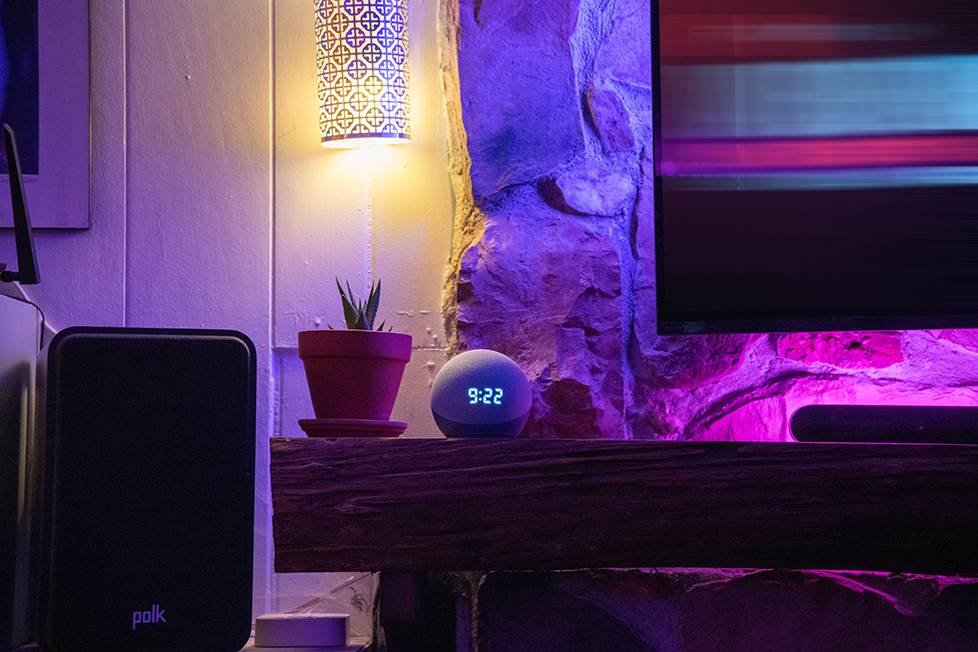
- Voice Assistant (optional): Devices like Amazon Echo or Google Home add hands-free control.
For a gentle introduction to the topic, smart lighting for beginners is a helpful resource to review before you start shopping for devices.
Step-by-Step Smart Lighting Installation Guide
Follow these straightforward steps to set up your new system:
1. Plan Your Lighting Zones
Decide which rooms or areas you want to automate. Start small—perhaps with a living room or bedroom—before expanding to the whole house. Consider the types of fixtures you have and whether you’ll use smart bulbs, switches, or plugs.
2. Install Smart Bulbs or Switches
For bulbs, simply screw them into your existing sockets. For switches, turn off the power at the breaker, remove the old switch, and follow the manufacturer’s wiring instructions. Always prioritize safety—if you’re unsure about wiring, consult a professional.
3. Connect to Your Network
Download the manufacturer’s app and follow the prompts to connect each device to your Wi-Fi or hub. Most apps guide you through the process step by step, making it accessible even for beginners.
4. Configure Scenes and Schedules
Use the app to create scenes (preset lighting moods) and schedules (automated on/off times). For example, set your bedroom lights to dim at bedtime or your porch light to turn on at sunset.
5. Integrate with Voice Assistants
Pair your lights with Alexa, Google Assistant, or Siri for voice control. This allows you to turn lights on or off, dim them, or change colors using simple commands.
Tips for a Smooth DIY Experience
- Check Compatibility: Not all bulbs work with every hub or voice assistant. Double-check before purchasing.
- Label Devices: Assign clear names to each light or switch in your app for easy control.
- Update Firmware: Keep your devices and apps updated for security and new features.
- Test Automation: Try out schedules and scenes to ensure they work as intended.
For more foundational advice, smart lighting basics for homeowners covers key considerations for first-time installers.
Common Issues and Troubleshooting
Even with the best preparation, you might encounter some hiccups. Here’s how to address frequent challenges:
- Connection Problems: Ensure your Wi-Fi signal is strong and your devices are within range. Reboot your router if needed.
- Device Not Responding: Reset the bulb or switch and re-add it to your app.
- Voice Commands Not Working: Check that your assistant is linked to the correct account and that device names match.
- Automation Fails: Double-check schedules and ensure your app permissions are set correctly.
If you want to learn more about the benefits of smart lighting, this resource explains how these systems can improve daily life and long-term savings.
Further Learning and Resources
To expand your knowledge, explore this comprehensive overview of smart lighting technology. It covers the evolution, types, and future trends in the industry, helping you make even more informed decisions as you grow your system.
Frequently Asked Questions
Can I install smart lighting if I rent my home?
Yes, most smart bulbs and plugs require no permanent changes and can be easily removed when you move. Just avoid replacing hardwired switches unless you have landlord approval.
Do I need a hub for every smart lighting system?
No, many modern bulbs connect directly to Wi-Fi and don’t require a hub. However, some advanced features or brands (like Philips Hue) may perform better with a dedicated hub.
Will smart lighting increase my electricity bill?
In most cases, these systems help lower your energy usage through automation and efficient LED technology. You can further optimize savings by setting schedules and using dimming features.
Is it safe to install smart switches myself?
If you’re comfortable with basic electrical work and follow safety guidelines, installing a smart switch is similar to replacing a standard one. However, if you’re unsure, always consult a licensed electrician.
Can I control my lights when I’m not at home?
Yes, as long as your system is connected to the internet, you can use the manufacturer’s app to control your lighting from anywhere in the world.