Upgrading your home with intelligent lighting brings convenience, energy savings, and a modern touch to any space. However, getting the most from your investment requires more than just screwing in new bulbs. With the right approach, you can enjoy seamless control, enhanced ambiance, and reliable automation. This guide shares practical smart lighting setup tips to help you achieve a well-optimized system, whether you’re starting from scratch or expanding an existing network.
Before diving into device selection or app configuration, it’s important to understand the basics of connected lighting. For a foundational overview, see smart lighting basics for homeowners. Once you’re familiar with the essentials, you can focus on strategies that ensure your system is efficient, responsive, and tailored to your needs.
Assessing Your Space and Lighting Needs
Every home is unique, so the first step is to evaluate where and how you want to use connected lighting. Consider these factors:
- Room function: Living rooms, kitchens, bedrooms, and bathrooms all have different lighting requirements.
- Natural light: Spaces with abundant sunlight may need fewer or dimmer smart bulbs.
- Fixture compatibility: Not all fixtures support smart bulbs or switches. Check socket types and wattage limits.
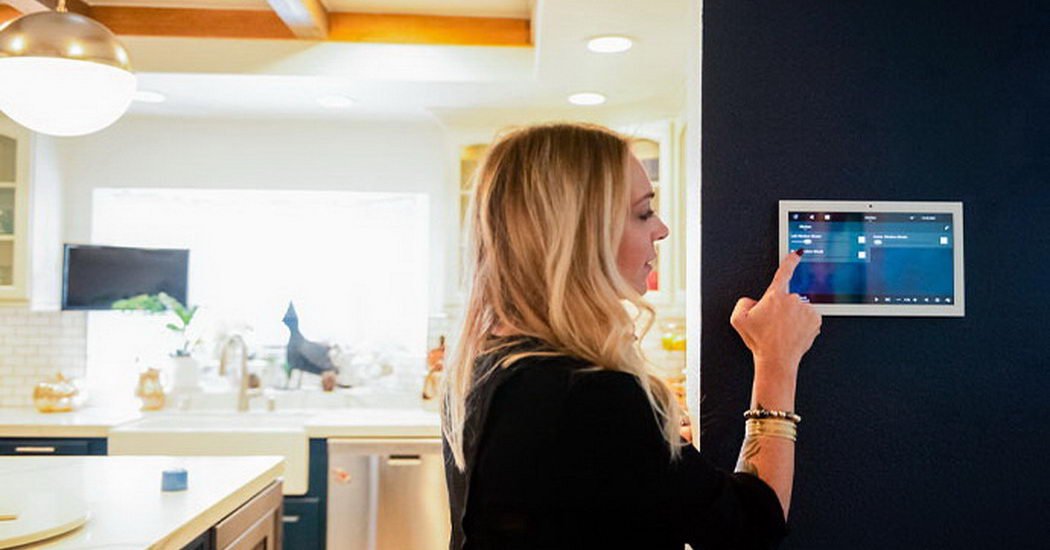
- Control preferences: Decide if you want voice, app, remote, or physical switch control in each area.
Mapping out your needs helps you choose the right products and avoid unnecessary purchases. For more on the technical side, review smart lighting network requirements to ensure your WiFi or Zigbee network can handle your planned setup.
Choosing Devices and Platforms for Seamless Integration
One of the most important smart lighting setup tips is to select devices that work well together. Consider these points:
- Brand ecosystem: Sticking to one brand (like Philips Hue or Kasa) can simplify setup and automation.
- Platform compatibility: Ensure your lights support your preferred voice assistant (Alexa, Google Assistant, Siri) and smart home hub.
- Expandability: Choose systems that allow easy addition of bulbs, switches, or sensors as your needs grow.
- Energy efficiency: Look for LED-based smart bulbs and dimmers to maximize savings.
Reading product reviews and checking compatibility lists can save time and frustration. If you’re unsure how to connect your devices, the how to connect smart lights to WiFi guide offers step-by-step instructions for popular brands.
Optimizing Network Performance for Reliable Operation
Connected lighting relies on a strong, stable network. Here are some ways to ensure your system runs smoothly:
- Router placement: Position your WiFi router centrally to minimize dead zones.
- Mesh networks: If you have a large home, consider a mesh WiFi system for better coverage.
- Dedicated hubs: Some brands use Zigbee or Z-Wave hubs, which can reduce WiFi congestion and improve reliability.
- Firmware updates: Regularly update your router and smart devices to benefit from the latest security and performance improvements.
For a deeper dive into connectivity, see smart lighting network requirements.
Configuring Scenes, Schedules, and Automations
One of the biggest advantages of intelligent lighting is the ability to create custom scenes and automations. Here’s how to make the most of these features:
- Scenes: Set up presets for activities like reading, movie nights, or dinner parties. Adjust brightness and color temperature to match the mood.
- Schedules: Automate lights to turn on or off at specific times, helping with energy savings and security.
- Motion sensors: Use sensors in hallways, bathrooms, or closets for hands-free convenience.
- Geofencing: Enable lights to react based on your location, such as turning off when you leave home.
Experiment with different combinations to find what works best for your routine. Many platforms also let you share or download popular automation recipes.

Enhancing Security and Privacy in Your Lighting System
As with any connected device, it’s important to protect your privacy and data. Here are some key steps:
- Secure your WiFi: Use strong, unique passwords and enable WPA3 encryption if available.
- Device updates: Keep your smart bulbs, hubs, and apps up to date to patch security vulnerabilities.
- Account management: Use two-factor authentication for your smart home accounts when possible.
- Limit permissions: Only grant necessary permissions to apps and integrations.
For more on advanced features and how to get the most from your system, check out smart lighting features explained.
Maximizing Efficiency and Comfort
To truly optimize your lighting, focus on both energy efficiency and user comfort:
- Use dimmers: Dimming lights reduces energy use and extends bulb life.
- Color temperature: Adjust white light from warm to cool to suit different times of day and activities.
- Group controls: Control multiple lights together for convenience and consistency.
- Monitor usage: Some systems provide energy reports to help you identify savings opportunities.
For a look at how intelligent lighting compares to traditional options, see smart lighting vs traditional lighting. You’ll find practical advice on making the switch and what to expect in terms of performance and cost.
Benefits of Smart Lighting for Modern Homes
Beyond convenience, connected lighting offers a range of advantages:
- Energy savings: Automated schedules and dimming reduce unnecessary usage.
- Enhanced security: Lights can simulate occupancy when you’re away.
- Accessibility: Voice and remote controls make lighting easier for everyone.
- Customization: Tailor lighting to your lifestyle, mood, and décor.
For more details on the advantages of upgrading, visit this comprehensive guide to the benefits of smart lights for homes.
Frequently Asked Questions
What is the easiest way to start with smart lighting?
Begin with a starter kit from a reputable brand. These kits typically include a hub and a few bulbs, making setup straightforward. Follow the manufacturer’s app instructions and expand your system as needed.
Do I need a hub for all smart bulbs?
Not always. Some bulbs connect directly to WiFi, while others require a dedicated hub (such as Zigbee or Z-Wave). Check product specifications before purchasing to ensure compatibility with your home network and devices.
Can I use smart lighting with existing switches?
Yes, many systems offer smart switches or dimmers that replace traditional wall switches. This allows you to control standard bulbs via app or voice, or you can use smart bulbs with existing switches left in the “on” position.
How do I troubleshoot connectivity issues?
Check your WiFi signal strength, ensure your router firmware is up to date, and restart your hub or bulbs if needed. For more troubleshooting steps, refer to your device’s support resources or see the how to connect smart lights to WiFi guide.
Are smart lights safe to use?
When set up with secure passwords and updated firmware, smart lighting is generally safe. Always buy from reputable brands and follow best practices for network security.