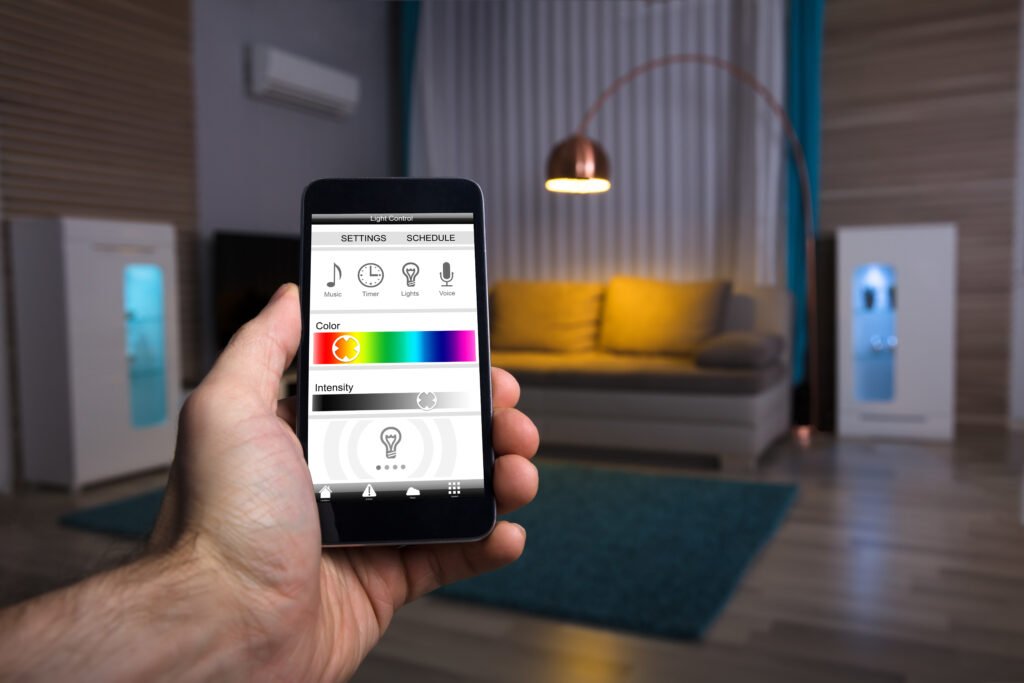
Smart lighting systems have transformed how we control and automate our homes, offering convenience, energy savings, and enhanced security. However, one of the most common frustrations for users is unexpected connection drops or unresponsive lights. Understanding how signal range works in these systems is crucial for reliable performance. In this guide, you’ll find the essentials of smart lighting signal range explained, including what affects it, how to avoid dead zones, and practical steps to keep your smart lights connected throughout your home.
Before diving into the technical details, it’s important to recognize that the type of connectivity your smart lighting uses—whether Wi-Fi, Zigbee, Z-Wave, or Bluetooth—directly impacts signal reliability and coverage. If you’re interested in a deeper look at the different connectivity types, the smart lighting connectivity types guide provides a comprehensive comparison to help you choose the best system for your needs.
What Determines Smart Lighting Signal Coverage?
The reach of your smart lighting system depends on several factors, including the wireless protocol, home layout, and interference from other devices. Here’s a breakdown of the main elements that influence signal range:
- Wireless Protocol: Wi-Fi, Zigbee, Z-Wave, and Bluetooth each have unique range characteristics. For example, Wi-Fi bulbs often have a range of up to 150 feet indoors, while Zigbee and Z-Wave can reach 100–130 feet but benefit from mesh networking.
- Home Construction: Thick walls, metal, and concrete can significantly weaken signals. Open floor plans and wooden structures typically allow for better coverage.
- Interference: Devices like microwaves, cordless phones, and even neighboring Wi-Fi networks can disrupt signals, especially on the crowded 2.4 GHz band.
- Device Placement: The location of your hub or bridge, as well as individual bulbs, impacts connectivity. Placing hubs centrally and avoiding obstructions helps maximize range.
Understanding these variables is the first step to ensuring your smart lighting system remains responsive and reliable.
How Mesh Networking Boosts Signal Reliability
Many smart lighting platforms, especially those using Zigbee or Z-Wave, employ mesh networking. In a mesh network, each compatible device (like a bulb or plug) acts as a repeater, passing the signal along to other devices. This creates multiple pathways for commands, reducing the risk of dead zones and connection drops.
For example, if you have a smart bulb in the living room and another in the hallway, the hallway bulb can relay signals to devices further away from the hub. This is especially useful in larger homes or spaces with challenging layouts.
However, not all devices act as repeaters. Battery-powered sensors typically do not, so for optimal mesh performance, prioritize plug-in or hardwired devices in key locations.

Common Causes of Connection Drops in Smart Lighting
Even with mesh networking and optimal placement, connection issues can still arise. Here are some frequent culprits:
- Out-of-Range Devices: Bulbs or switches placed too far from the hub or the nearest repeater may lose connectivity.
- Firmware Issues: Outdated device software can introduce bugs or compatibility problems. Regularly updating device firmware is essential. For step-by-step instructions, see the smart lighting firmware updates guide.
- Network Congestion: Too many Wi-Fi devices or heavy internet usage can slow down or interrupt smart lighting signals, especially on 2.4 GHz networks.
- Physical Barriers: Large appliances, mirrors, and thick walls can block or reflect wireless signals, leading to unreliable performance.
Identifying the root cause of connection drops is key to finding the right solution and maintaining a seamless smart lighting experience.
Tips to Maximize Smart Lighting Signal Range
To ensure your lights respond reliably and avoid frustrating connection drops, consider these practical strategies:
- Centralize Your Hub: Place your smart lighting hub or bridge in a central, open location, away from thick walls and electronic interference.
- Expand with Repeaters: Add plug-in smart plugs or bulbs to extend your mesh network, especially in larger homes or across multiple floors.
- Minimize Interference: Keep your hub and bulbs away from microwaves, cordless phones, and routers using the same frequency bands.
- Update Regularly: Check for firmware updates for your bulbs, switches, and hub to ensure compatibility and bug fixes.
- Check Device Limits: Some hubs have a maximum number of supported devices. Exceeding this can cause instability, so consult your manufacturer’s guidelines.
Following these steps can dramatically improve the reliability and reach of your smart lighting system.
Advanced Solutions for Large Homes and Challenging Layouts
For those with larger properties or homes with complex layouts, standard signal range may not suffice. Here are some advanced options to consider:
- Multiple Hubs or Bridges: Some smart lighting ecosystems allow the use of more than one hub, which can extend coverage to distant rooms or outbuildings.
- Dedicated Range Extenders: Zigbee and Z-Wave range extenders are designed to boost signal strength and fill coverage gaps.
- Wired Backhaul: Some advanced systems support Ethernet connections for hubs, reducing wireless congestion and improving reliability.
When planning your setup, map out where you want smart lighting and identify any potential dead zones. This proactive approach helps ensure every area of your home benefits from responsive, reliable lighting control.
Benefits of Reliable Smart Lighting Connectivity
Maintaining a strong and stable connection for your smart lighting system offers more than just convenience. Here are some advantages:
- Consistent Automation: Schedules, routines, and motion-triggered lighting work as intended without missed events.
- Enhanced Security: Reliable lighting deters intruders and supports emergency scenarios. For more on this, see the smart lighting automation for safety guide.
- Energy Efficiency: Responsive controls help reduce wasted energy by ensuring lights are only on when needed.
- Peace of Mind: No more frustration from unresponsive bulbs or failed automations.
For a broader perspective on the value of connected lighting, check out these top benefits of smart lighting for homes and businesses.
FAQ: Smart Lighting Signal Range and Connection Issues
How far can smart lighting signals reach in a typical home?
Signal range depends on the protocol: Wi-Fi bulbs may cover up to 150 feet indoors, while Zigbee and Z-Wave typically reach 100–130 feet between devices, with mesh networking extending coverage. Physical barriers and interference can reduce these distances.
What can I do if my smart bulbs keep disconnecting?
Start by moving your hub to a more central location and adding plug-in repeaters. Update firmware and minimize interference from other wireless devices. If problems persist, consider dedicated range extenders or multiple hubs for larger spaces.
Does the number of smart bulbs affect signal strength?
Adding more bulbs can actually improve mesh network reliability, as each device helps relay signals. However, exceeding your hub’s device limit may cause instability, so always check manufacturer recommendations.
Conclusion
Understanding how smart lighting signal range works—and what can disrupt it—empowers you to build a more reliable, responsive lighting system. By optimizing hub placement, leveraging mesh networking, and staying proactive about updates and interference, you can avoid connection drops and enjoy seamless control throughout your home. For more tips on smart lighting features, check out the smart lighting alerts explained article or explore how to prepare your system for emergencies in the smart lighting for emergency situations guide.