Setting up smart lighting in your home can be exciting, but many newcomers run into avoidable problems that lead to frustration and wasted time. Understanding the most common setup pitfalls is essential for a smooth, reliable experience. This guide covers the most frequent errors people make when installing connected lighting systems, why they happen, and how to avoid them. Whether you’re planning a full-home upgrade or just starting with a few bulbs, learning from others’ missteps can save you money and headaches.
Before diving into the details, it’s important to recognize that smart lighting involves more than just screwing in a new bulb. Factors like compatibility, network reliability, and planning for future expansion all play a role. For a deeper look at essential planning steps, check out smart lighting installation considerations to ensure your setup starts off right.
Common Setup Pitfalls for New Smart Lighting Users
Many people underestimate the complexity of integrating smart lighting into their homes. Here are some of the most frequent mistakes beginners make and how to avoid them:
- Skipping Compatibility Checks: Not all smart bulbs, switches, and hubs work together. Failing to verify compatibility with your existing devices or preferred platforms can result in wasted purchases.
- Ignoring Network Requirements: Smart lighting relies on a stable Wi-Fi or Zigbee/Z-Wave network. Weak signals, overcrowded routers, or interference can cause unreliable performance and connection drops.
- Overlooking Protocols and Standards: Choosing products that use different communication protocols (like Zigbee, Z-Wave, or Wi-Fi) without considering interoperability can make future expansion difficult. For more on this, see smart lighting standards explained.
- Neglecting Power and Switch Issues: Installing smart bulbs in fixtures with traditional wall switches can lead to confusion. If the switch is off, the bulb loses power and can’t be controlled remotely.
- Poor Placement of Hubs or Bridges: Placing your hub in a location with poor signal coverage can limit the range and responsiveness of your smart lighting system.
Understanding Compatibility and Interoperability Challenges
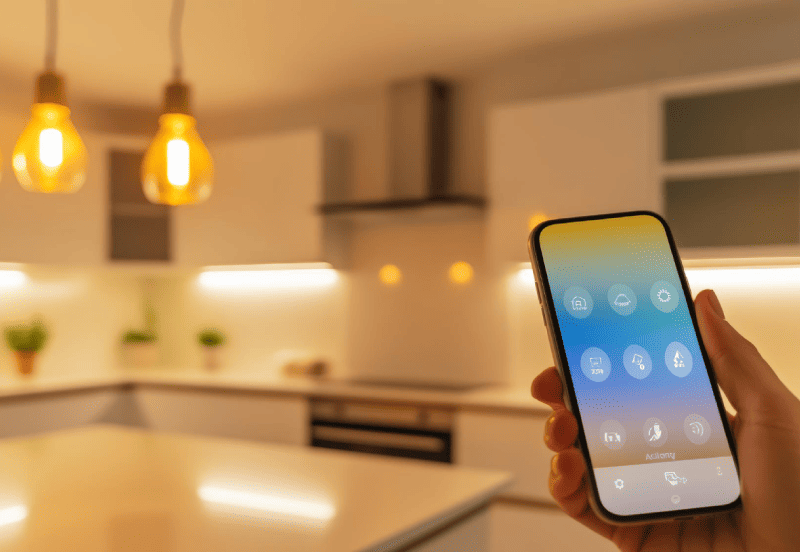
One of the biggest sources of frustration for new users is discovering that their chosen devices don’t work well together. This is often due to differences in communication protocols or proprietary ecosystems. For example, some bulbs require a specific hub, while others work directly with a voice assistant or app.
To avoid these issues, always check product specifications and look for compatibility badges or certifications. If you plan to mix brands or expand your system later, consider products that support open standards. Learn more about how devices work together by reading about smart lighting interoperability.
Another common mistake is overlooking the importance of firmware updates. Keeping your devices updated ensures they remain compatible with new features and security standards.
Network and Connectivity Pitfalls Explained
Smart lighting depends on a reliable network connection. Many beginners underestimate how much a weak or overloaded Wi-Fi network can affect performance. Here are some key points to consider:
- Router Placement: Place your router or hub in a central location to maximize coverage. Avoid placing it near thick walls, metal objects, or appliances that can interfere with the signal.
- Bandwidth Management: If your home has many connected devices, consider upgrading your router or adding a mesh network to prevent congestion.
- Dedicated Networks: Some users set up a separate Wi-Fi network for smart devices to improve reliability and security.
- Interference: Devices like microwaves, cordless phones, and baby monitors can interfere with Wi-Fi or Zigbee signals. Keep your smart lighting hub away from these sources.
If you encounter frequent disconnects or lag, troubleshooting your network should be the first step. For more guidance, see smart lighting compatibility challenges.
Planning for Expansion and Future-Proofing
Many beginners start with a few smart bulbs and quickly realize they want more features or broader coverage. However, failing to plan for future expansion can lead to incompatible devices or the need to replace hardware.
To avoid this, consider the following tips:
- Choose Scalable Ecosystems: Select brands and platforms known for broad compatibility and regular updates.
- Understand Certification and Safety: Ensure your devices meet safety and quality standards. For more on this, see smart lighting certification explained.
- Think About Control Methods: Decide if you want to use voice assistants, wall switches, or mobile apps for control. Some systems work better with certain control types than others.
- Plan Wiring and Power: If you’re considering smart switches or dimmers, check your home’s wiring for compatibility. Some smart switches require a neutral wire, which older homes may not have.
By thinking ahead, you can avoid the hassle of replacing incompatible devices or redoing your setup as your needs grow.
Other Overlooked Mistakes and How to Avoid Them
Beyond the technical aspects, there are practical mistakes that can impact your experience with connected lighting:
- Not Reading Instructions: Skipping the manual or setup guide can lead to missed steps and unnecessary troubleshooting.
- Failing to Secure Your Network: Smart lighting devices are part of your home network. Use strong passwords and keep firmware updated to protect against unauthorized access.
- Underestimating Power Outages: Some systems may reset or lose settings after a power cut. Choose products with backup memory or cloud syncing to minimize disruption.
- Ignoring the Benefits of Automation: Many users only use basic on/off features. Explore routines, schedules, and scenes to get the most from your system. For inspiration, see this overview of smart lighting benefits.
FAQ: Smart Lighting Setup Pitfalls
What is the most common mistake when installing smart lighting?
The most frequent error is failing to check device compatibility. Many users buy bulbs or switches that don’t work with their existing hubs or apps, leading to frustration and returns. Always verify compatibility before purchasing.
How can I avoid network issues with my smart lighting system?
Ensure your Wi-Fi or Zigbee network has strong coverage throughout your home. Place your router or hub centrally, avoid interference from other electronics, and consider a mesh network if you have a large space or many devices.
Is it necessary to use certified smart lighting products?
Using certified devices helps ensure safety, reliability, and compatibility. Certified products are tested for quality and often receive regular firmware updates, which can prevent many common setup problems.
Can I mix different brands of smart bulbs and switches?
Mixing brands is possible if they support the same protocols or are compatible with your chosen hub or platform. However, some features may be limited when using products from different manufacturers. Research interoperability before expanding your system.
What should I do if my smart lights keep disconnecting?
Frequent disconnects are often caused by weak network signals or interference. Try moving your hub or router to a more central location, reduce interference from other devices, and ensure your firmware is up to date.