Lighting has evolved far beyond the simple on-off switch. Today, smart lighting dimming offers homeowners and businesses smooth, precise control over their spaces. Whether you want to set the mood, save energy, or automate routines, understanding how these systems work can help you make the most of your lighting investment. This article breaks down the technology, benefits, and practical tips for achieving seamless dimming with connected lighting solutions.
For those interested in exploring more advanced features, such as color customization or optimizing brightness for different areas, check out our smart lighting color changing guide and smart lighting brightness levels guide. These resources complement the information here, helping you create a fully personalized lighting experience.
How Modern Dimming Technology Works
At its core, smart lighting dimming uses digital controls to adjust the brightness of your lights. Unlike traditional dimmers, which physically alter the electrical current, smart systems use wireless protocols and microprocessors to manage light output. This enables smooth transitions, precise adjustments, and integration with other smart home devices.
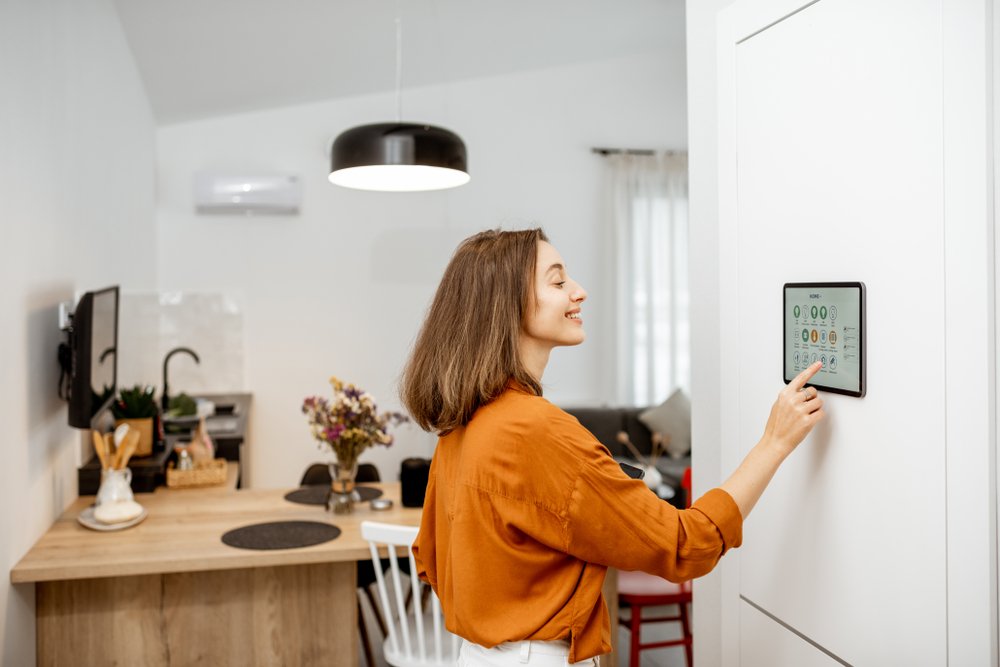
Most smart bulbs and switches communicate using Wi-Fi, Zigbee, Z-Wave, or Bluetooth. These protocols allow you to control your lights from a smartphone app, voice assistant, or automation system. The result is a highly flexible environment where you can set scenes, schedules, and even automate lighting based on occupancy or time of day.
Types of Smart Dimming Solutions
There are several ways to achieve dimmable smart lighting, each with its own advantages:
- Smart Bulbs: These replace your standard bulbs and offer built-in dimming. They are easy to install and work well for renters or those seeking a quick upgrade.
- Smart Switches: Installed in place of traditional wall switches, these control standard dimmable bulbs. They are ideal for whole-room or whole-home control, especially if you want to keep using existing light fixtures.
- Plug-in Dimmers: These devices plug into outlets and control lamps or other plug-in lights. They’re a simple way to add dimming to table or floor lamps.
Choosing the right solution depends on your needs, budget, and whether you want to control individual lights or entire circuits.
Benefits of Smooth Dimming Control
Smart dimming offers more than just ambiance. Here are some key advantages:
- Energy Savings: Dimming lights reduces power consumption, which can lower your electricity bills and extend bulb life.
- Comfort and Mood: Adjusting brightness helps set the right atmosphere for reading, relaxing, entertaining, or sleeping.
- Automation: Integrate with sensors and routines to automatically adjust lighting based on time, occupancy, or activity.
- Accessibility: Control lights remotely or via voice, making it easier for everyone to manage their environment.
For a deeper look at the advantages, see this comprehensive overview of smart lighting benefits.
Popular Smart Dimming Products and Ecosystems
Several brands lead the way in connected lighting. Philips Hue, LIFX, Kasa, and TP-Link offer reliable, user-friendly options. Many of these work with popular voice assistants like Alexa, Google Assistant, and Apple HomeKit, making setup and daily use straightforward.
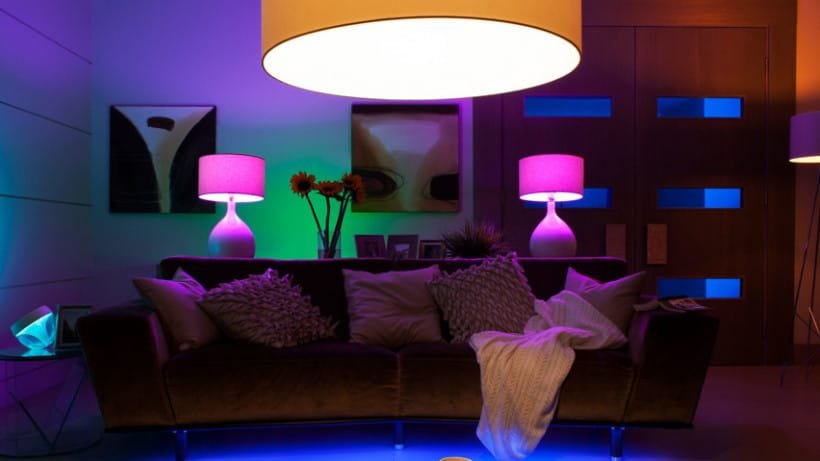
When selecting a system, consider compatibility with your existing devices and whether you want features like color changing or advanced scheduling. For more on color control, our smart lighting color changing guide provides detailed advice.
Installation and Setup Tips for Seamless Dimming
Getting started with smart dimming is usually straightforward, but a few tips can ensure the best experience:
- Check Compatibility: Make sure your bulbs, switches, and dimmers are compatible. Not all LED bulbs are dimmable, and some smart switches require a neutral wire.
- Follow Manufacturer Instructions: Each brand may have specific setup steps, especially for pairing devices with your home network.
- Group and Name Devices: Use your app to organize lights by room or function, and give them clear names for easy voice control.
- Test Dimming Ranges: Some bulbs dim more smoothly than others. Test the full range to avoid flickering or dead zones.
If you’re installing smart switches, always turn off power at the breaker and follow safety guidelines. When in doubt, consult a licensed electrician.
Advanced Features: Scenes, Schedules, and Automation
One of the biggest advantages of connected lighting is the ability to automate and personalize your environment. Here are some ways to take your setup further:
- Scenes: Create presets for activities like movie night, dinner, or bedtime, adjusting multiple lights with a single tap or voice command.
- Schedules: Program lights to dim or brighten at specific times, supporting healthy sleep routines or energy savings.
- Sensors: Use motion or ambient light sensors to trigger dimming based on occupancy or daylight levels.
- Integration: Connect with other smart home devices, such as thermostats or security systems, for coordinated automation.
For those interested in safety and specialized applications, see our guides on smart lighting for stairs safety and smart lighting for garden ambiance.

Common Challenges and Troubleshooting
While smart dimming systems are generally reliable, users may occasionally encounter issues such as:
- Flickering: Often caused by incompatible bulbs or switches. Always use bulbs labeled as dimmable and check manufacturer recommendations.
- Connectivity Drops: Wi-Fi or Zigbee devices may lose connection if the signal is weak. Consider adding a hub or range extender for better coverage.
- Limited Dimming Range: Some LEDs do not dim as low as traditional incandescent bulbs. Testing different brands can help you find the best match.
- App or Voice Control Issues: Ensure your devices and apps are updated, and check that your smart home ecosystem supports your chosen products.
Most problems can be resolved by double-checking compatibility, updating firmware, or resetting devices. Manufacturer support resources and online communities can also be valuable for troubleshooting.
Frequently Asked Questions
Can I Use Smart Dimmers With Any LED Bulb?
No, not all LED bulbs are compatible with dimmers. Always choose bulbs labeled as dimmable, and check that your smart switch or dimmer is designed for use with LEDs. Using non-dimmable bulbs with a dimmer can cause flickering or damage.
Do I Need a Hub for Smart Lighting Dimming?
It depends on the system you choose. Some products, like Philips Hue, require a hub for advanced features, while others (such as many Wi-Fi bulbs) connect directly to your home network. Check the product details before purchasing.
Can I Control Dimming With Voice Assistants?
Yes, most smart lighting systems integrate with voice assistants like Amazon Alexa, Google Assistant, and Apple HomeKit. Once set up, you can adjust brightness, turn lights on or off, and activate scenes using voice commands.
Conclusion
Understanding smart lighting dimming empowers you to create comfortable, energy-efficient, and flexible spaces. By choosing the right products, ensuring compatibility, and exploring automation features, you can achieve smooth, reliable control over your environment. For more tips on optimizing your setup, don’t miss our guides on smart lighting brightness levels and smart lighting for garage safety. With the right approach, your lighting can be as dynamic and responsive as the rest of your smart home.