Understanding the language of connected lighting can make a big difference when choosing, installing, or troubleshooting your system. Whether you’re a homeowner, business owner, or tech enthusiast, knowing the most important smart lighting glossary terms helps you navigate product specs, app settings, and integration options with confidence. This article breaks down the essential vocabulary you’ll encounter in the world of intelligent lighting, from basic concepts to advanced features.
Before diving into the terminology, it’s helpful to understand the broader context of connected lighting. These systems combine traditional illumination with digital controls, wireless communication, and automation. If you’re new to the field, you might want to review the smart lighting learning curve explained to get a sense of how easy it is to get started and what to expect as you explore more advanced setups.
Key Terms in Smart Lighting Technology
To help you get started, here’s a breakdown of the most common terms you’ll see when researching or setting up a connected lighting system. These definitions will help you interpret product manuals, app interfaces, and online guides.
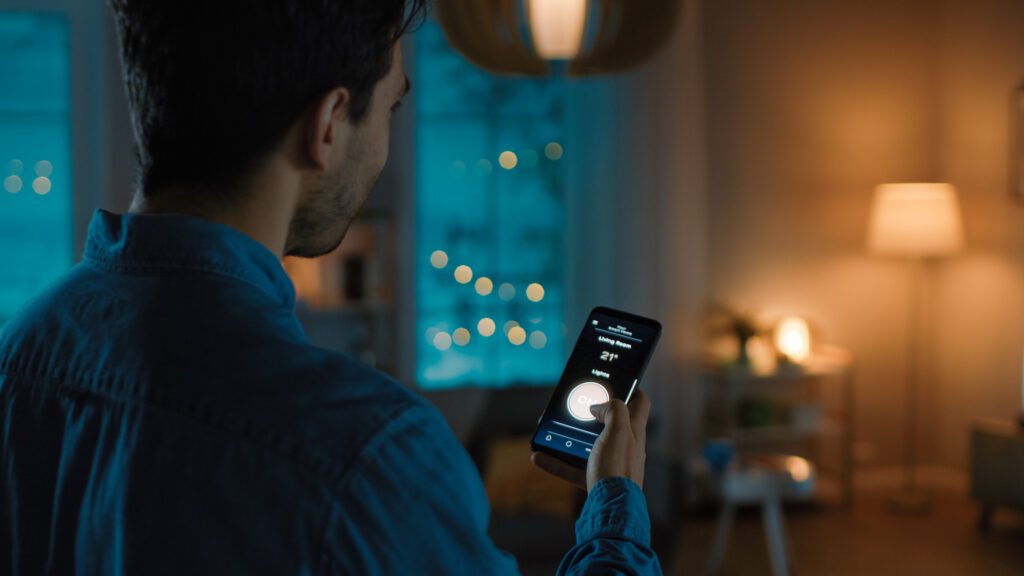
- Smart Bulb: A light bulb with built-in wireless connectivity, allowing remote control, scheduling, and automation via an app or voice assistant.
- Bridge (or Hub): A central device that connects smart bulbs and fixtures to your home network, enabling communication between devices and your smartphone or smart speaker.
- Scene: A preset combination of lighting settings (brightness, color, on/off status) that can be activated with a single command or tap.
- Color Temperature: Measured in Kelvins (K), this describes the warmth or coolness of white light. Lower values (2700K) are warm/yellow; higher values (6500K) are cool/blue.
- RGB: Refers to bulbs that can produce Red, Green, and Blue light, allowing millions of color combinations.
- Dimmable: The ability to adjust a bulb’s brightness level, either manually or automatically.
- Voice Control: Integration with voice assistants like Alexa, Google Assistant, or Siri for hands-free operation.
- Geofencing: A feature that uses your phone’s location to trigger lighting actions automatically when you arrive or leave home.
- Scheduling: Setting lights to turn on/off or change settings at specific times or intervals.
- Automation: Rules or routines that trigger lighting changes based on events, sensors, or other smart devices.
- Mesh Network: A wireless network topology where devices relay signals to each other, improving coverage and reliability.
- Firmware: The internal software that runs on a smart bulb or hub, sometimes updated to add features or fix bugs.
Wireless Protocols and Connectivity Explained
One of the most important aspects of any connected lighting setup is how devices communicate. Here are the main wireless standards and related terms you’ll encounter:
- Wi-Fi: Many bulbs and switches connect directly to your home Wi-Fi, allowing control from anywhere with internet access.
- Zigbee: A low-power wireless protocol commonly used for smart bulbs and sensors. Requires a compatible hub or bridge.
- Z-Wave: Another wireless standard for smart home devices, known for reliability and security. Also needs a hub.
- Bluetooth: Some bulbs use Bluetooth for direct control from your phone, but may have limited range and features.
- Thread: A newer mesh networking protocol designed for low-power, secure, and scalable smart home devices.
- Cloud Connectivity: Refers to devices that rely on internet servers for remote control and automation features.
Lighting Control Features and App Functions
Modern lighting systems offer a wide range of controls and features. Here are some terms you’ll see in apps and product descriptions:
- Grouping: The ability to control multiple lights together as a single unit, such as all lights in a room or zone.
- Remote Access: Controlling your lights from anywhere using a smartphone app, as long as you have an internet connection.
- IFTTT: Stands for “If This Then That,” a service that lets you create custom automations between different smart devices and services.
- Energy Monitoring: Some systems track power usage, helping you optimize efficiency and reduce costs.
- Motion Sensing: Lights that turn on or off automatically when movement is detected.
- Sunrise/Sunset Automation: Scheduling lights based on local sunrise and sunset times for natural lighting patterns.
For a deeper look at how these features impact real-world use, check out the smart lighting limitations explained guide, which covers what to expect from different brands and technologies.
Common Product Types and Installation Terms
Understanding the different types of connected lighting products and installation methods can help you choose the right solution for your needs. Here are some frequently used terms:
- Smart Switch: A wall switch that replaces your standard switch, enabling app and voice control of regular bulbs and fixtures.
- Smart Plug: An outlet adapter that lets you control lamps or other plug-in lights remotely.
- Downlight: A recessed ceiling fixture, often available in smart versions for seamless integration.
- Light Strip: Flexible LED strips that can be installed under cabinets, behind TVs, or along architectural features for accent lighting.
- Retrofit: Upgrading existing fixtures or bulbs with smart technology without major rewiring or renovation.
- Hardwired: Lighting products that require direct electrical installation, usually by a qualified electrician.
Integration, Security, and Advanced Concepts
As connected lighting becomes more advanced, new terms emerge around integration, privacy, and system reliability. Here are some you may encounter:
- Interoperability: The ability of different brands and devices to work together seamlessly.
- API: Application Programming Interface, a way for third-party apps and services to control your lighting system.
- End-to-End Encryption: Security feature that protects data as it travels between your devices and the cloud.
- OTA (Over-the-Air) Updates: Wireless firmware updates that add features or fix vulnerabilities without manual intervention.
- Fail-Safe Mode: A backup operating state that ensures basic lighting functions if the network or app goes down.
For more on system stability, see the smart lighting reliability explained article, which covers how to trust your tech for everyday use.
Benefits and Business Impact of Connected Lighting
Beyond convenience and style, intelligent lighting can deliver energy savings, improved security, and enhanced productivity. Businesses and organizations are increasingly adopting these solutions for their flexibility and cost-effectiveness. For a closer look at the commercial side, check out five ways LED smart lighting transforms businesses and organizations.
If you’re weighing the pros and cons for your own space, the smart lighting pros and cons guide offers a balanced overview of what to expect.
Frequently Asked Questions
What is the difference between a smart bulb and a smart switch?
A smart bulb has built-in wireless connectivity, allowing direct control via app or voice assistant, while a smart switch replaces your wall switch and lets you control standard bulbs and fixtures. Smart switches are ideal for controlling multiple lights from one location, while smart bulbs offer more granular control and color options.
Do I need a hub for my smart lighting system?
Some products require a hub or bridge (especially those using Zigbee or Z-Wave), while others connect directly to Wi-Fi or use Bluetooth. Hubs can improve reliability and expand compatibility, but many entry-level systems work without one. Always check product requirements before purchasing.
How secure are connected lighting systems?
Modern systems use encryption and regular firmware updates to protect your data. For best results, choose reputable brands, keep your devices updated, and use strong passwords. For more on privacy and user concerns, visit the smart lighting user concerns explained page.
Can I automate my lights based on my location?
Yes, many systems offer geofencing, which uses your smartphone’s location to trigger lights when you arrive or leave home. This feature adds convenience and can improve security by making your home appear occupied.
What are the main wireless protocols for smart lighting?
The most common are Wi-Fi, Zigbee, Z-Wave, Bluetooth, and Thread. Each has its pros and cons regarding range, reliability, and compatibility. Your choice will depend on your existing devices and the features you need.
As the world of connected lighting evolves, staying familiar with the latest smart lighting glossary terms will help you make informed decisions and get the most from your investment. Whether you’re just starting out or looking to expand your setup, understanding these terms is the first step toward a brighter, smarter space.