Smart lighting systems have transformed the way we illuminate our homes, offering convenience, energy efficiency, and customization. However, to ensure your connected bulbs and fixtures deliver optimal performance and longevity, it’s essential to follow a dedicated smart lighting maintenance guide. This article covers practical strategies for caring for your smart bulbs, troubleshooting common issues, and maximizing the lifespan of your lighting investment.
Whether you’re new to smart lighting or looking to extend the life of your existing setup, understanding proper upkeep is key. For those interested in broader integration, you might also explore smart lighting for home automation to see how these systems fit into a connected home environment.
Why Regular Care Matters for Smart Bulbs
Smart bulbs offer advanced features like scheduling, remote control, and dimming. However, these features depend on both the hardware and software functioning smoothly. Without regular maintenance, you may experience connectivity drops, reduced brightness, or premature failure. Following a smart lighting maintenance guide helps prevent these issues and ensures your lighting system remains reliable and efficient.
Routine care also supports energy savings and helps you get the most from your investment in smart technology. By proactively addressing potential problems, you can avoid costly replacements and enjoy consistent performance.
Essential Steps for Maintaining Smart Lighting Systems
To keep your smart bulbs shining bright and lasting longer, consider these core maintenance practices:
- Keep Fixtures and Bulbs Clean: Dust and debris can accumulate on bulbs and fixtures, reducing light output and causing overheating. Gently wipe bulbs and covers with a dry microfiber cloth every few weeks.
- Check Connections Regularly: Ensure bulbs are securely screwed into their sockets. Loose connections can cause flickering or intermittent operation.
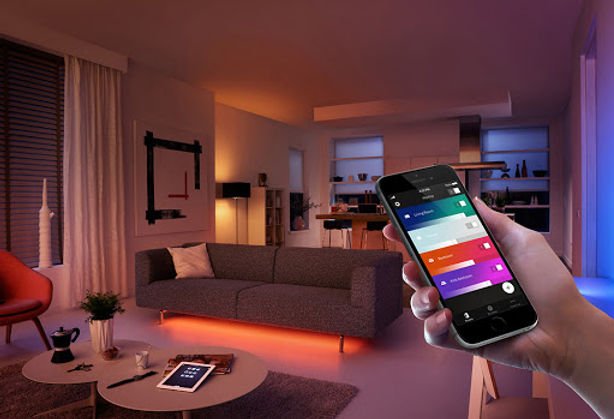
- Update Firmware and Apps: Manufacturers often release updates to improve performance and security. Check for firmware updates in your smart lighting app and keep your mobile app up to date.
- Monitor Network Stability: Smart bulbs rely on WiFi or Zigbee networks. If you notice connectivity issues, check your router placement, reduce interference, and review your network’s capacity. For more details, see our guide on smart lighting network requirements.
- Use Compatible Dimmers and Switches: Not all smart bulbs work with traditional dimmers. Use switches and dimmers recommended by the bulb manufacturer to avoid flickering or reduced lifespan.
Optimizing Bulb Lifespan: Pro Tips
Maximizing the durability of your smart bulbs goes beyond basic cleaning. Here are some expert recommendations for extending the life of your lighting products:
- Avoid Frequent Power Cycling: Turning bulbs on and off rapidly can shorten their lifespan. Use app-based schedules or routines to minimize unnecessary switching.
- Manage Heat Build-Up: Excessive heat is a major factor in LED bulb failure. Ensure fixtures have adequate ventilation and avoid installing smart bulbs in enclosed spaces unless they are rated for such use.
- Set Reasonable Brightness Levels: Running bulbs at maximum brightness continuously can accelerate wear. Adjust brightness to suit your needs and consider dimming when possible.
- Group Bulbs Logically: Use your smart lighting app to group bulbs by room or activity. This allows for efficient control and reduces the risk of leaving lights on unnecessarily.
For more setup tips and best practices, check out our article on smart lighting setup tips.
Troubleshooting Common Smart Lighting Issues
Even with regular care, you may encounter occasional problems with your smart bulbs. Here’s how to address some of the most frequent challenges:
- Bulb Not Responding: Check power at the fixture, ensure the bulb is properly installed, and verify network connectivity. Resetting the bulb or router can often resolve the issue.
- Flickering or Dimming: Incompatible dimmers or voltage fluctuations may cause flickering. Use only approved switches and ensure your home’s wiring is up to standard.
- Connectivity Drops: Move your router closer to the bulbs or add a mesh WiFi extender. Too many devices on your network can also cause congestion—try disconnecting unused devices.
- App or Voice Control Fails: Restart the app, check for updates, and confirm your smart home hub (if used) is online.
If you’re setting up new bulbs, refer to our guide on how to connect smart lights to WiFi for step-by-step instructions.
Advanced Maintenance for Connected Lighting
For users with more complex setups, such as multiple rooms or integration with home automation systems, advanced maintenance steps can further enhance reliability:
- Schedule Regular System Checks: Set reminders to review your lighting system’s status, check for firmware updates, and inspect for any offline devices.
- Backup Your Lighting Scenes: Some platforms allow you to export or save your favorite scenes and routines. This can save time if you need to reset your system.
- Monitor Energy Usage: Many smart lighting apps offer energy reports. Use these insights to identify high-usage areas and optimize your schedules.
- Integrate with Other Smart Devices: Connecting your lighting with sensors or automation hubs can improve efficiency. For planning larger systems, see our smart lighting system planning guide.
For a broader perspective on the advantages of connected lighting, you can read about the key benefits of smart lighting systems in modern homes and businesses.
Frequently Asked Questions
How often should I clean my smart bulbs and fixtures?
It’s best to dust bulbs and fixtures every few weeks, or at least once a month. Use a dry microfiber cloth and avoid using water or cleaning sprays directly on the bulbs to prevent damage.
What should I do if my smart bulb keeps disconnecting from WiFi?
First, check your WiFi signal strength near the bulb. Moving your router closer, reducing interference from other devices, or adding a mesh extender can help. Also, ensure your bulb’s firmware and app are up to date.
Can I use smart bulbs with traditional dimmer switches?
Most smart bulbs are not compatible with standard dimmers and may flicker or malfunction if used with them. Always use dimmers and switches recommended by the bulb’s manufacturer for best results.
How do I know if my smart bulb needs a firmware update?
Your smart lighting app will typically notify you when an update is available. Regularly check the app’s device settings or notifications section to ensure your bulbs are running the latest firmware.
Is it safe to use smart bulbs in enclosed fixtures?
Only use smart bulbs in enclosed fixtures if the manufacturer specifically states they are rated for such use. Otherwise, heat buildup can shorten bulb lifespan and affect performance.