Controlling your home’s lighting with just your voice is no longer a futuristic dream. With the rise of smart lighting systems and voice assistants, hands-free illumination is now accessible, convenient, and highly customizable. This smart lighting voice control guide will walk you through the essentials of setting up, optimizing, and making the most of voice-activated lighting in your home.
Whether you’re looking to boost accessibility, enhance convenience, or simply enjoy the novelty of commanding your lights without lifting a finger, understanding the basics and best practices is key. Before diving into setup and troubleshooting, it’s helpful to explore related topics like smart lighting automation ideas for inspiration on how to integrate voice control into your daily routines.
Understanding Voice-Activated Lighting Systems
Voice-controlled lighting combines smart bulbs, switches, or fixtures with popular voice assistants like Amazon Alexa, Google Assistant, or Apple Siri. These systems allow you to turn lights on or off, adjust brightness, change colors, and even set scenes—all through simple spoken commands.
Most modern smart lighting products are compatible with at least one major voice platform. Some, like Philips Hue and Kasa Smart, offer broad compatibility and easy integration. For more on ensuring your devices work together seamlessly, see the smart lighting compatibility guide.
Benefits of Hands-Free Illumination
Adopting voice control for your lighting offers several advantages:
- Convenience: Instantly adjust lights without searching for switches or your phone.
- Accessibility: Ideal for those with mobility challenges or busy hands.
- Energy Efficiency: Easily turn off forgotten lights, reducing energy waste.
- Customization: Set routines, scenes, and schedules tailored to your lifestyle.
For a deeper dive into the advantages, check out this overview of smart lighting benefits.
Getting Started: Choosing Compatible Devices
Before you can enjoy hands-free lighting, you’ll need to select devices that support voice integration. Here’s what to consider:
- Voice Assistant Support: Confirm your preferred lighting brand works with your chosen voice platform.
- Hub Requirements: Some systems (like Philips Hue) may need a hub, while others (like Kasa Smart) connect directly to Wi-Fi.
- Lighting Type: Decide between smart bulbs, switches, or plugs based on your home’s wiring and your needs.
Setting Up Voice Commands for Your Smart Lights
Once you’ve installed your devices, follow these steps to enable voice control:
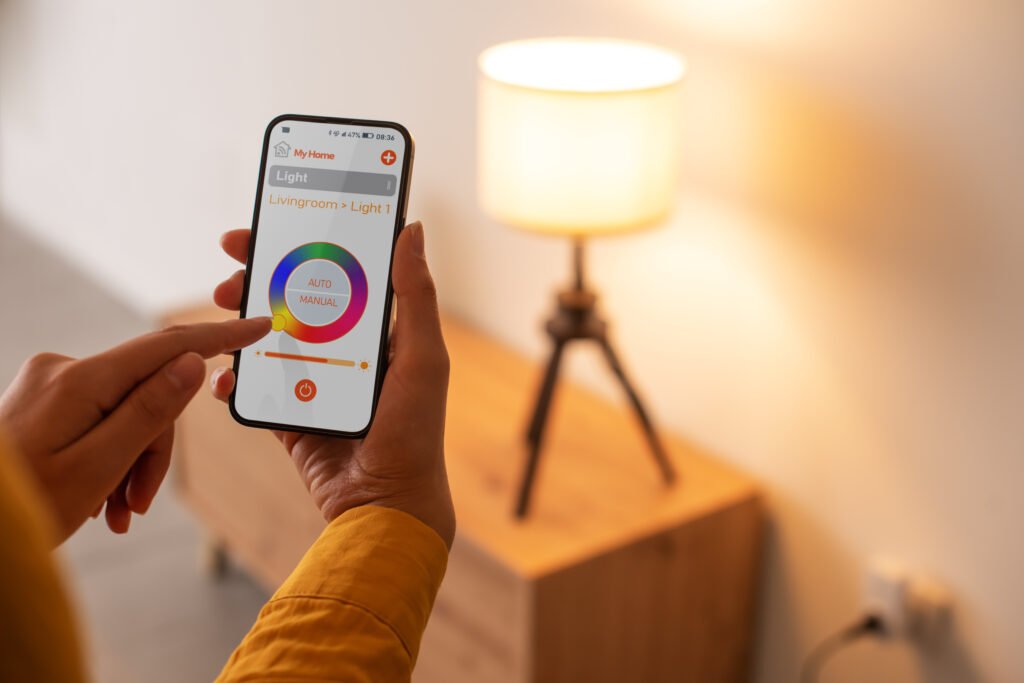
- Install the Manufacturer’s App: Set up your bulbs or switches using the official app (e.g., Philips Hue, Kasa Smart).
- Connect to Your Voice Assistant: Link your lighting account to Alexa, Google Home, or Apple HomeKit.
- Discover Devices: Use your voice assistant’s app to detect and add your new lights.
- Assign Names and Rooms: Give each light a clear, unique name for easy voice recognition.
- Test Basic Commands: Try simple phrases like “Turn on the kitchen lights” or “Dim the living room to 50%.”
For more advanced integration, explore smart lighting for home automation to see how voice control fits into a broader connected home ecosystem.
Popular Voice Commands and Customization Tips
Voice assistants support a wide range of lighting commands. Here are some examples to get you started:
- “Turn on/off [room name] lights.”
- “Set [light name] to 30% brightness.”
- “Change [light name] to blue.”
- “Activate movie night scene.”
- “Turn off all lights.”
To maximize convenience:
- Group lights by room or function for easier control.
- Create custom scenes for activities like reading, dining, or relaxing.
- Set up routines (e.g., “Good morning” turns on select lights at sunrise).
Optimizing Your Smart Lighting Voice Control Experience
For the most reliable and enjoyable experience, keep these tips in mind:
- Use Clear Names: Avoid similar-sounding names for different lights to prevent confusion.
- Update Firmware: Regularly check for updates in both your lighting and voice assistant apps.
- Check Wi-Fi Coverage: Ensure strong connectivity in all areas where you want voice control.
- Leverage Routines: Automate daily lighting changes for added efficiency.

Troubleshooting Common Voice Control Issues
Even the best systems can encounter hiccups. If your lights aren’t responding as expected, try these steps:
- Ensure your smart lights and voice assistant are on the same Wi-Fi network.
- Check that device names match what you’re saying.
- Restart your router, smart hub, or the voice assistant device.
- Update all relevant apps and firmware.
- Re-link your lighting account if devices become unresponsive.
For more detailed solutions, refer to the smart lighting troubleshooting tips resource.
Maintaining and Expanding Your Voice-Controlled Lighting
Keeping your system running smoothly ensures long-term satisfaction. Here’s how to maintain and grow your setup:
- Clean bulbs and fixtures regularly for optimal brightness.
- Replace outdated devices with newer models for improved features.
- Expand your system room by room, adding new lights or switches as needed.
- Periodically review and update your routines and scenes for changing needs.
For advice on keeping your system in top shape, see the smart lighting maintenance guide.
FAQ: Voice-Activated Smart Lighting
Can I control my lights with multiple voice assistants at once?
Many smart lighting products support integration with more than one voice platform. For example, you can set up your lights to work with both Alexa and Google Assistant. However, you’ll need to link your lighting account to each assistant separately, and some advanced features may be exclusive to one platform.
Do I need a smart hub for voice control?
Not always. Some brands, like Philips Hue, require a hub for full functionality, while others, such as Kasa Smart, connect directly to Wi-Fi. Check your device’s requirements before purchasing to ensure compatibility with your preferred setup.
Is voice-controlled lighting secure?
Smart lighting systems use encrypted connections and require authentication for setup. To enhance security, use strong passwords, enable two-factor authentication where possible, and keep your apps and firmware updated. Avoid sharing account access with untrusted users.
Conclusion: Embracing the Future of Home Lighting
Integrating voice control into your lighting system brings a new level of convenience, accessibility, and customization to your home. By following the steps and tips in this smart lighting voice control guide, you can enjoy seamless, hands-free illumination tailored to your lifestyle. As technology evolves, expect even more innovative features and integrations, making smart lighting an essential part of modern living.