Automated lighting is transforming the way we interact with our homes. By setting up routines, you can control when and how your lights operate, making daily life more convenient, energy-efficient, and comfortable. This guide offers a clear overview of how these systems work, what benefits they bring, and how to get started with your own custom routines. Whether you’re new to home automation or looking to optimize your current setup, understanding the basics of smart lighting routines explained will help you unlock the full potential of your connected lighting.
Before diving into the details, it’s worth noting that setting up scenes and troubleshooting issues are also important aspects of smart lighting. For a step-by-step walkthrough on creating the perfect ambiance, check out the smart lighting scenes setup guide.
What Are Smart Lighting Routines?
Automated lighting routines are pre-programmed actions that control your lights based on schedules, triggers, or user preferences. These routines can be as simple as turning on a porch light at sunset or as complex as adjusting brightness and color temperature throughout the day to match your activities. The goal is to automate repetitive tasks, enhance comfort, and improve energy efficiency.
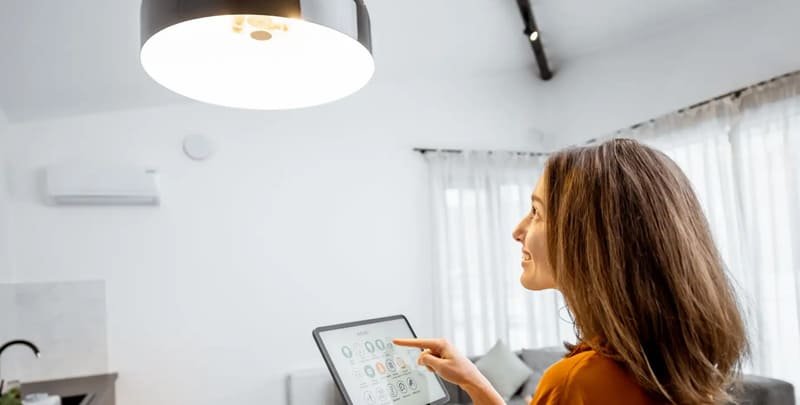
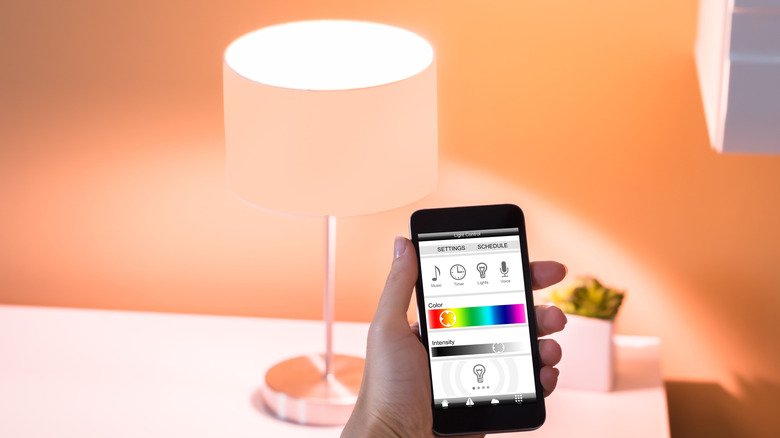
Most modern smart bulbs and switches support routines through their companion apps or integration with smart home platforms like Google Home, Amazon Alexa, or Apple HomeKit. With these tools, you can create custom schedules, link lighting to motion sensors, or even synchronize lights with other smart devices.
Key Benefits of Automated Lighting
Setting up routines for your lighting system offers several practical advantages:
- Convenience: Lights adjust automatically, so you don’t have to remember to switch them on or off.
- Energy Savings: Routines help reduce wasted electricity by ensuring lights are only on when needed.
- Security: Automated schedules can make your home look occupied, deterring potential intruders.
- Personalization: Tailor lighting to your lifestyle—wake up gently with gradual brightness or set the mood for movie night with a single command.
For more on the advantages of connected lighting, see this comprehensive overview of smart lighting benefits.
How to Set Up Your First Lighting Routine
Getting started with automated lighting doesn’t require technical expertise. Here’s a step-by-step approach:
- Choose Compatible Devices: Select smart bulbs or switches that work with your preferred platform (e.g., Philips Hue, Kasa Smart, or LIFX).
- Install and Connect: Follow the manufacturer’s instructions to install your devices and connect them to your home Wi-Fi network.
- Download the App: Use the companion app to discover and manage your lights.
- Create a Routine: In the app, look for automation or routines settings. Set triggers such as time of day, sunrise/sunset, or motion detection.
- Test and Adjust: Try out your routine and tweak settings as needed for optimal performance.
Many users find that starting with a simple schedule—like turning bedroom lights on at 7 AM and off at 10 PM—helps them get comfortable before exploring more advanced automations.
Popular Types of Lighting Automations
There are several common ways to automate your lights. Here are a few examples:
- Scheduled Routines: Set lights to turn on or off at specific times, such as at sunset or before bedtime.
- Sensor-Based Automation: Use motion or door sensors to trigger lights when someone enters a room.
- Geofencing: Automatically control lights based on your smartphone’s location—lights turn off when you leave and on when you return.
- Voice-Activated Scenes: Combine lighting with other smart devices and activate them with a voice command. For more on this, see the smart lighting voice control guide.
Experimenting with these options can help you find the right balance of automation and manual control for your household.
Tips for Optimizing Your Automated Lighting
To get the most from your routines, consider these practical tips:
- Layer Your Lighting: Use a mix of overhead, accent, and task lighting for flexibility and comfort.
- Adjust for Seasons: Update schedules to match changing daylight hours throughout the year.
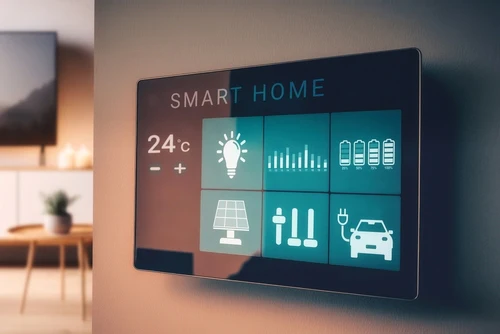
- Integrate with Other Devices: Link lights with thermostats, security systems, or smart speakers for a seamless experience.
- Review Energy Usage: Many apps provide insights into power consumption, helping you identify savings opportunities.
- Maintain Your System: Regularly check for firmware updates and troubleshoot any connectivity issues. For more advice, visit the smart lighting maintenance guide.
Common Challenges and Troubleshooting
While automated lighting is generally reliable, occasional issues may arise. Here are some common challenges and solutions:
- Connectivity Problems: Ensure your Wi-Fi network is stable and that devices are within range. Restart routers or hubs if needed.
- Unresponsive Routines: Double-check routine settings in your app and update firmware if available.
- Compatibility Issues: Not all bulbs and switches work with every platform. Confirm compatibility before purchasing new devices.
- Unexpected Behavior: Sometimes routines overlap or conflict. Review all automations and adjust timing or triggers as necessary.
If you encounter persistent problems, refer to the smart lighting troubleshooting tips for detailed guidance.
Expanding Your Automation: Advanced Ideas
Once you’re comfortable with basic routines, you can explore more advanced automations:
- Dynamic Lighting Scenes: Change colors and brightness throughout the day to support activities like reading, relaxing, or entertaining.
- Multi-Room Synchronization: Coordinate lighting across different rooms for a unified experience.
- Conditional Automations: Set routines that only activate under certain conditions, such as when you’re home and it’s after sunset.
- Integration with Other Smart Devices: Trigger lights based on doorbell rings, security alerts, or thermostat settings.
For more inspiration, browse the smart lighting automation ideas article.
FAQ
Can I use smart lighting routines without a hub?
Many modern smart bulbs connect directly to Wi-Fi and can be controlled via their app without a central hub. However, some advanced features or integrations (like Zigbee or Z-Wave devices) may require a hub for full functionality.
Do automated lighting routines work with voice assistants?
Yes, most smart lighting systems integrate with popular voice assistants such as Amazon Alexa, Google Assistant, and Apple Siri. This allows you to activate routines, adjust brightness, or change colors using simple voice commands.
How secure are automated lighting systems?
Security depends on your network setup and device manufacturer. Always use strong Wi-Fi passwords, keep device firmware updated, and purchase from reputable brands to minimize risks. For added peace of mind, review privacy settings in your smart home apps.
What happens if my internet goes down?
Some routines may continue to work if they’re stored locally on a hub or device, but cloud-based automations may pause until connectivity is restored. Check your device documentation for details on offline capabilities.
Automated lighting routines offer a practical way to simplify daily life, improve comfort, and save energy. With a little planning and experimentation, you can create a personalized system that adapts to your needs and enhances your home environment.